Rubyscope

A code browser for Ruby on Rails

Rubyscope is a small desktop app for reading Ruby and Rails code. Hold Ctrl and click a class, a method, a route helper, a translation key or a partial. It opens where that thing is written. Built in Rust, for Omarchy Linux and macOS.

  • Starts in about one second
  • Reads your code and never changes it
  • Built in Rust
  • Omarchy Linux and macOS
  • Free and open source, MIT
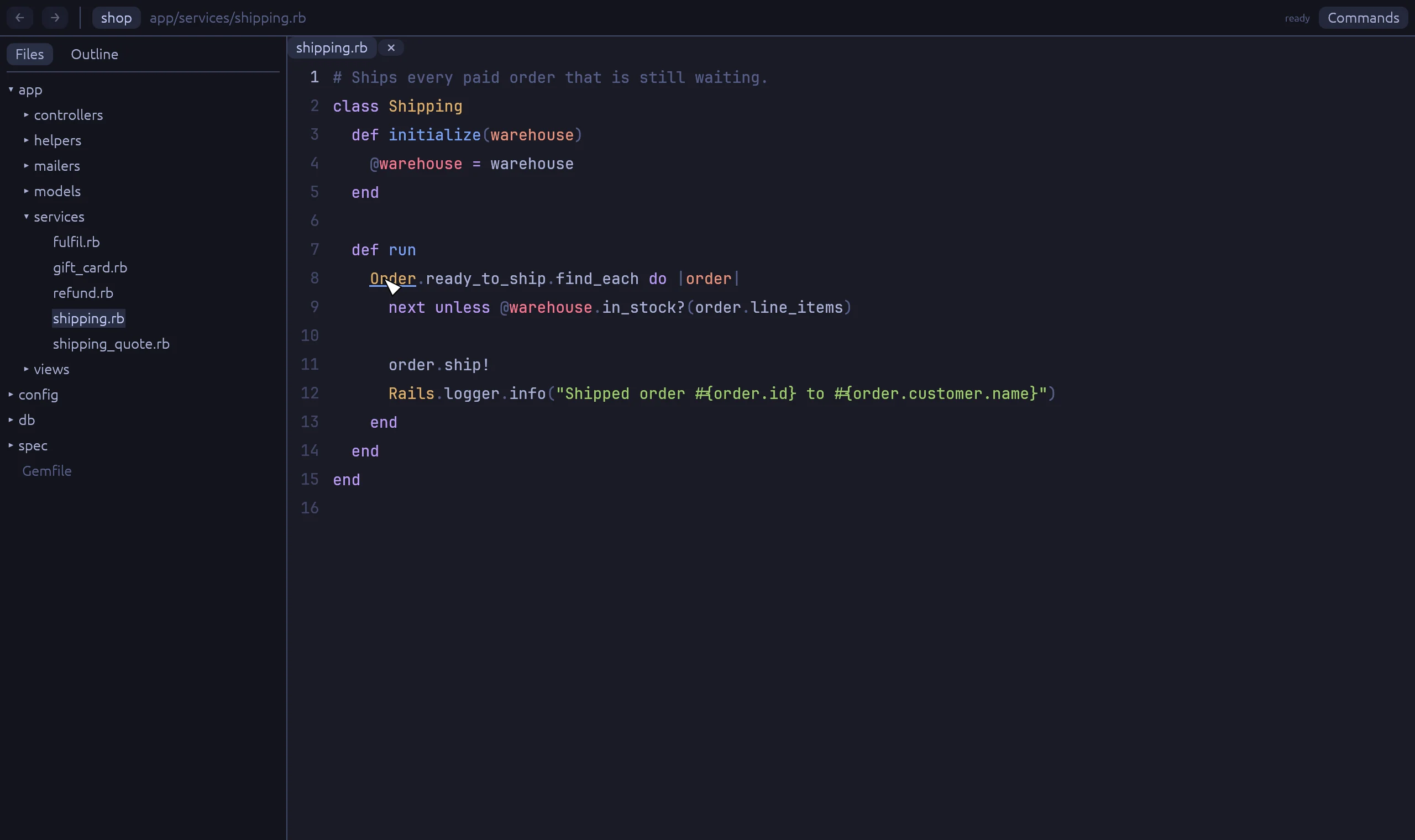
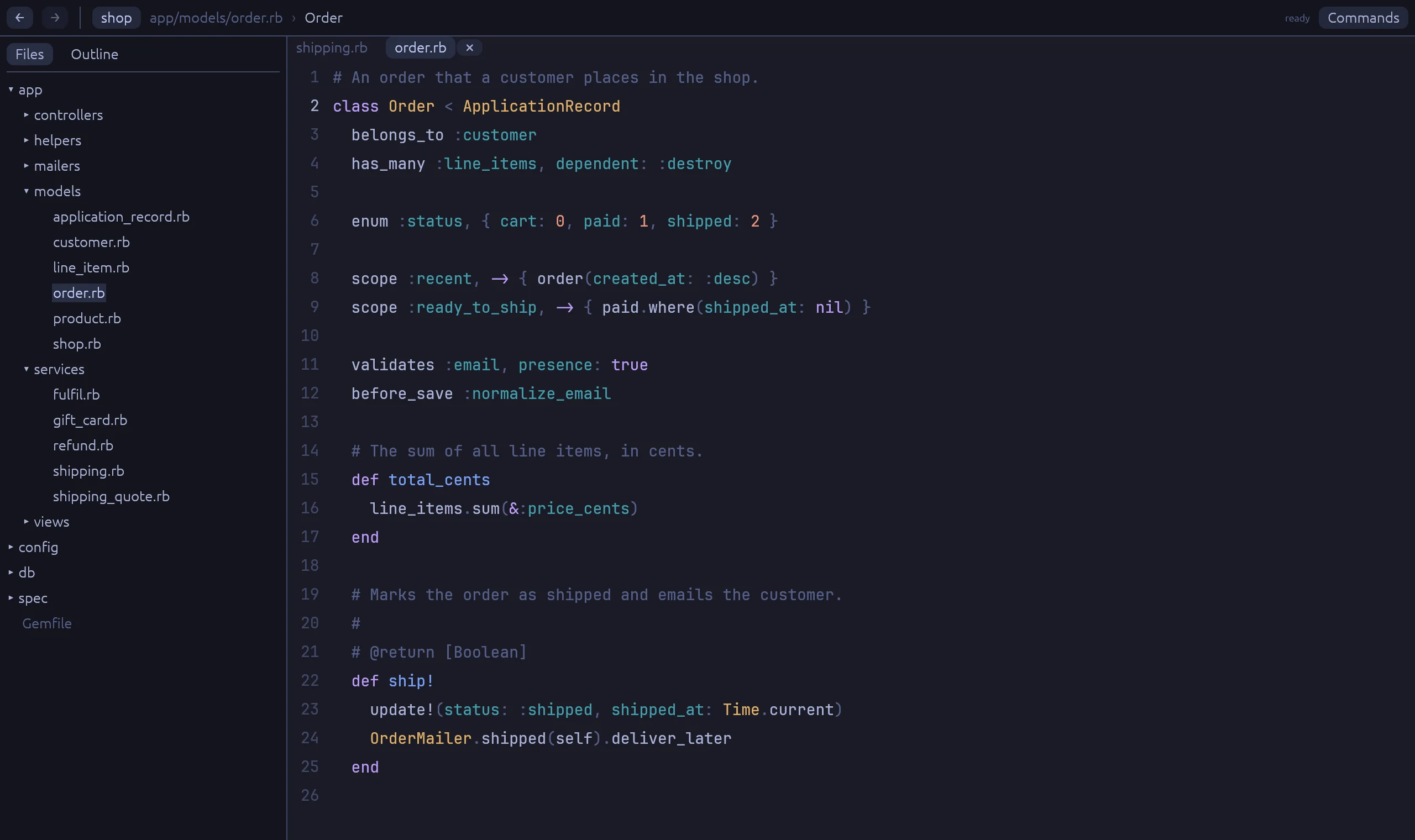
Rubyscope with app/services/shipping.rb open. Ctrl is held and the class name Order has an underline.

Try it. These are real screenshots. Ctrl is held, so Order has an underline. Click it, or click ship! lower down. The tabs above show more kinds of jump.

Go to definition that knows Rails

A text search finds every ship! in the project. Rubyscope finds the one you mean. It follows Ruby's lookup rules and the conventions of Rails, RSpec, FactoryBot and Stimulus.

Methods, and the type behind them

Rest the pointer on a name to see its signature, its docs and where it is defined. The popup also says how Rubyscope found the type: exact, inferred, a guess, or by name only.

  • Method lookup in Ruby's order: prepends, the class, includes, the superclass
  • Concerns, class_methods, delegate, super
  • Associations, scopes, enums and columns from db/schema.rb
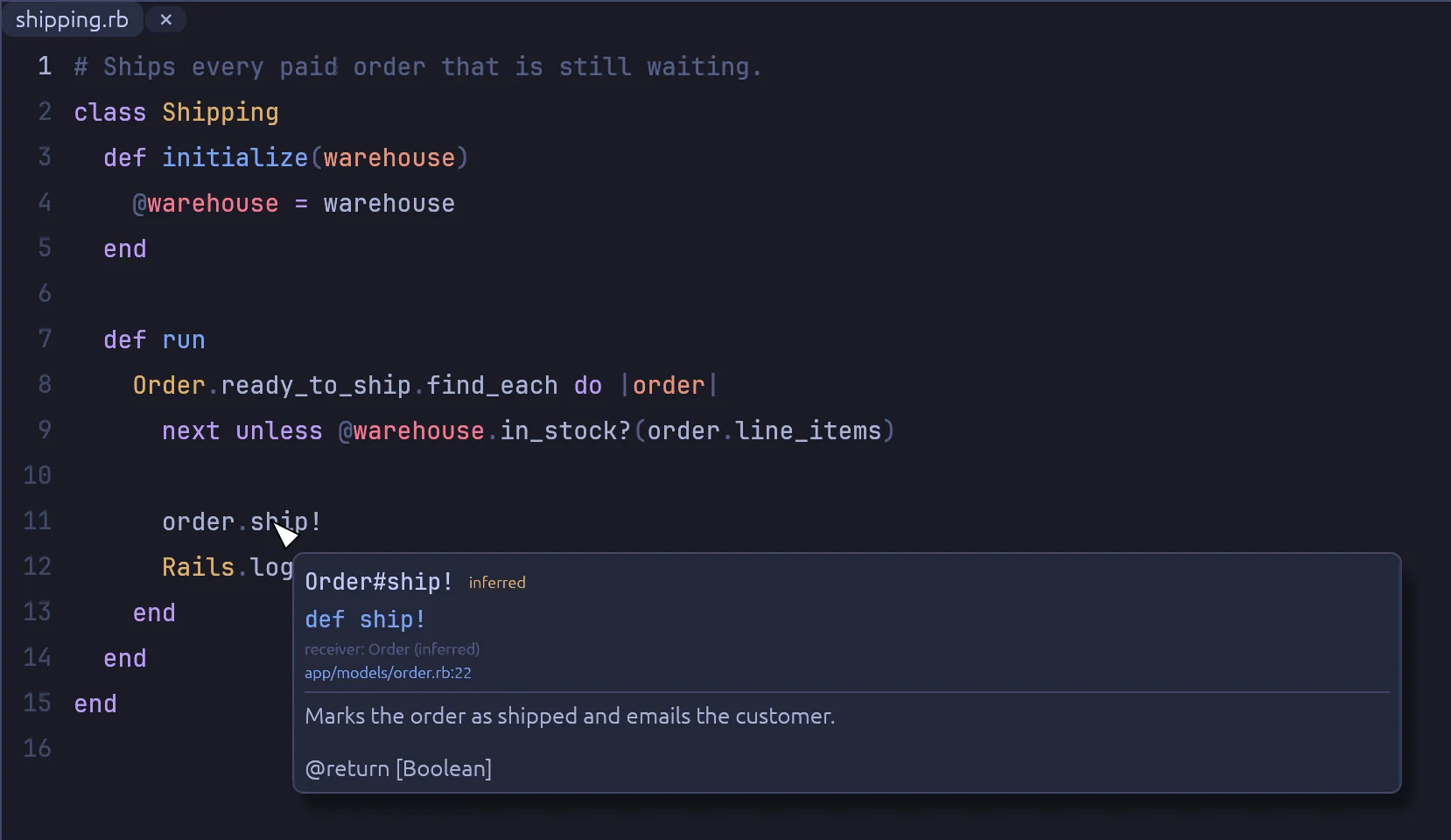
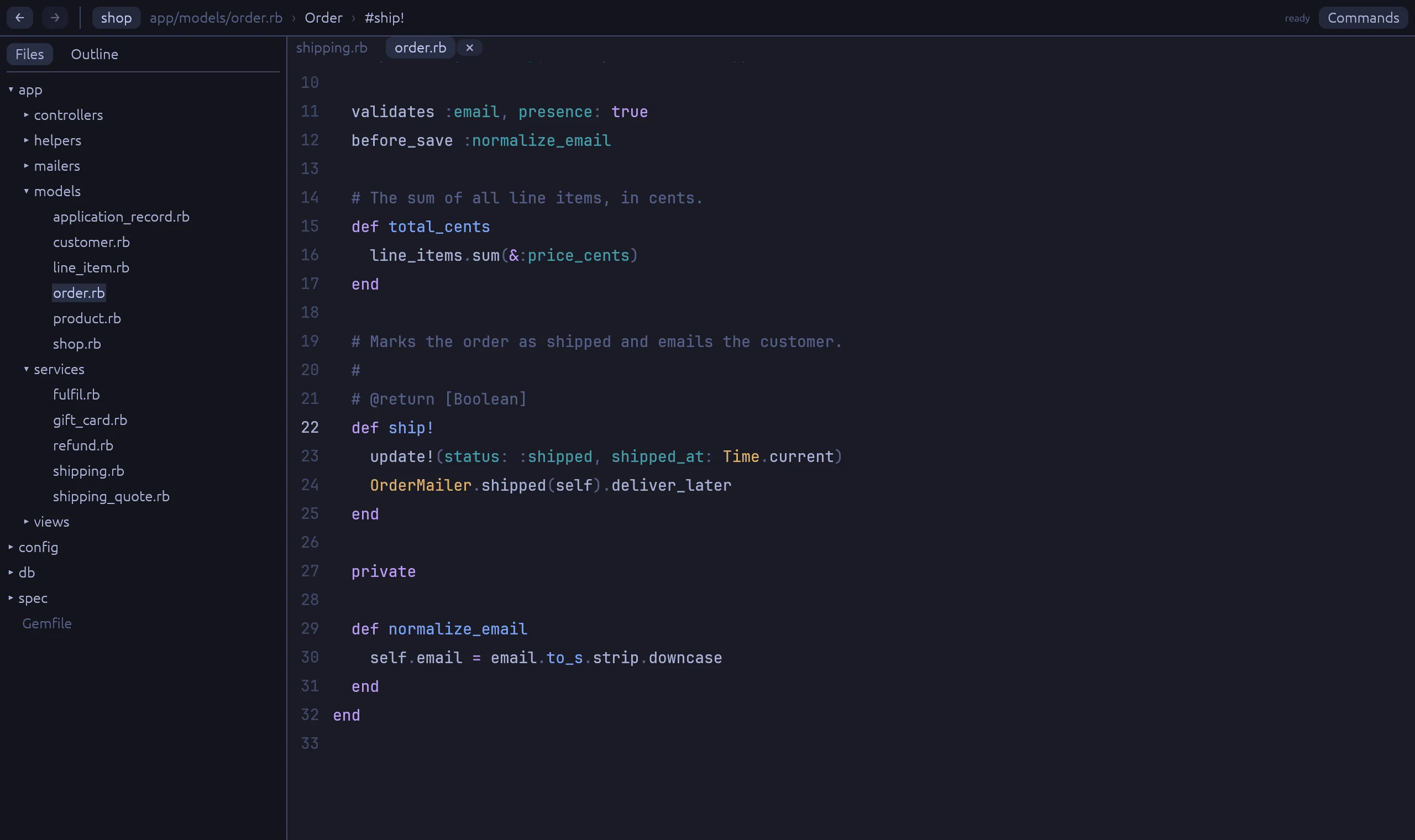
A popup over order.ship! shows Order#ship!, marked inferred, with its file and line and the comment above the method.
The block variable order comes from a scope on Order, so the call goes to Order#ship!.
From a controller action to its view, and back

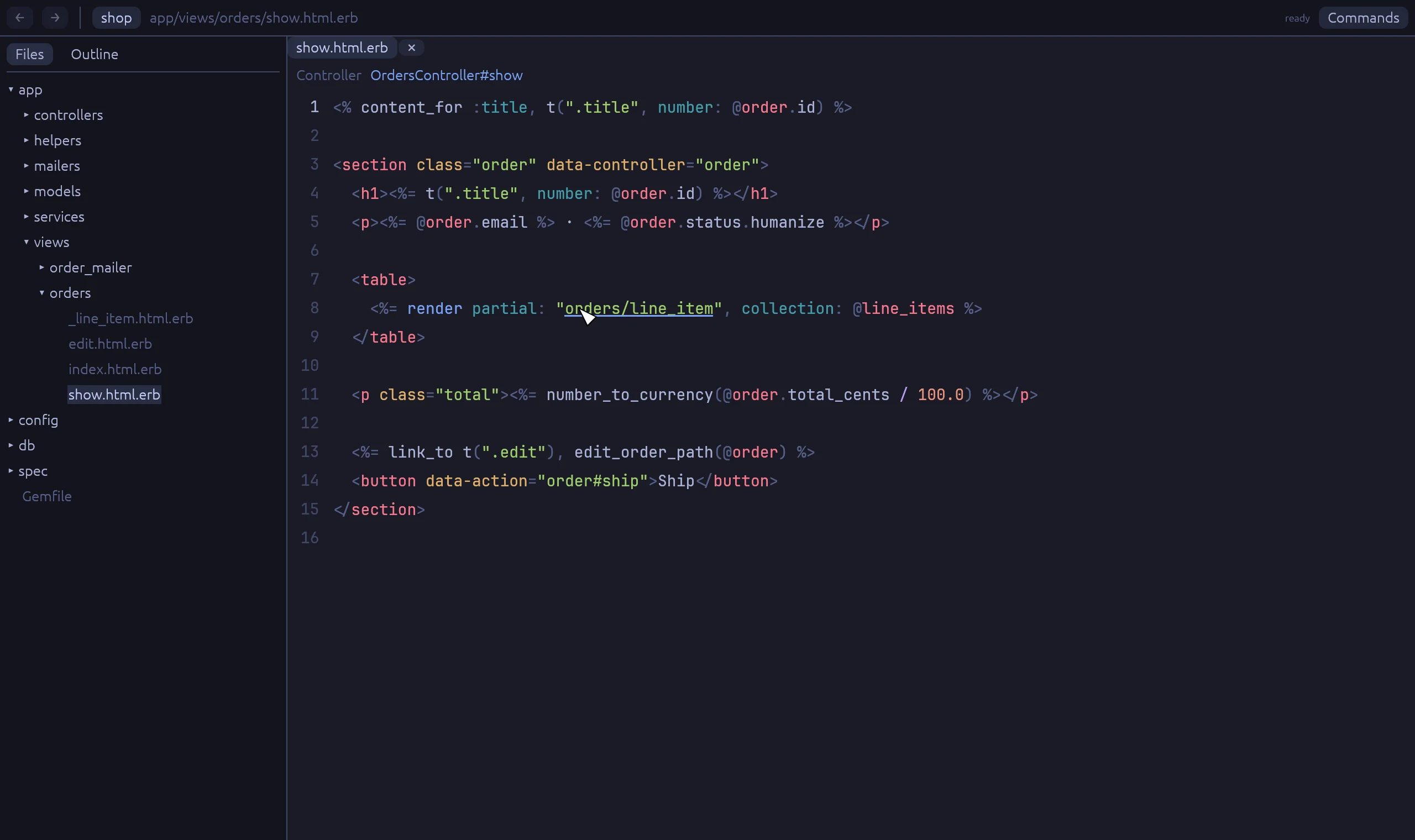
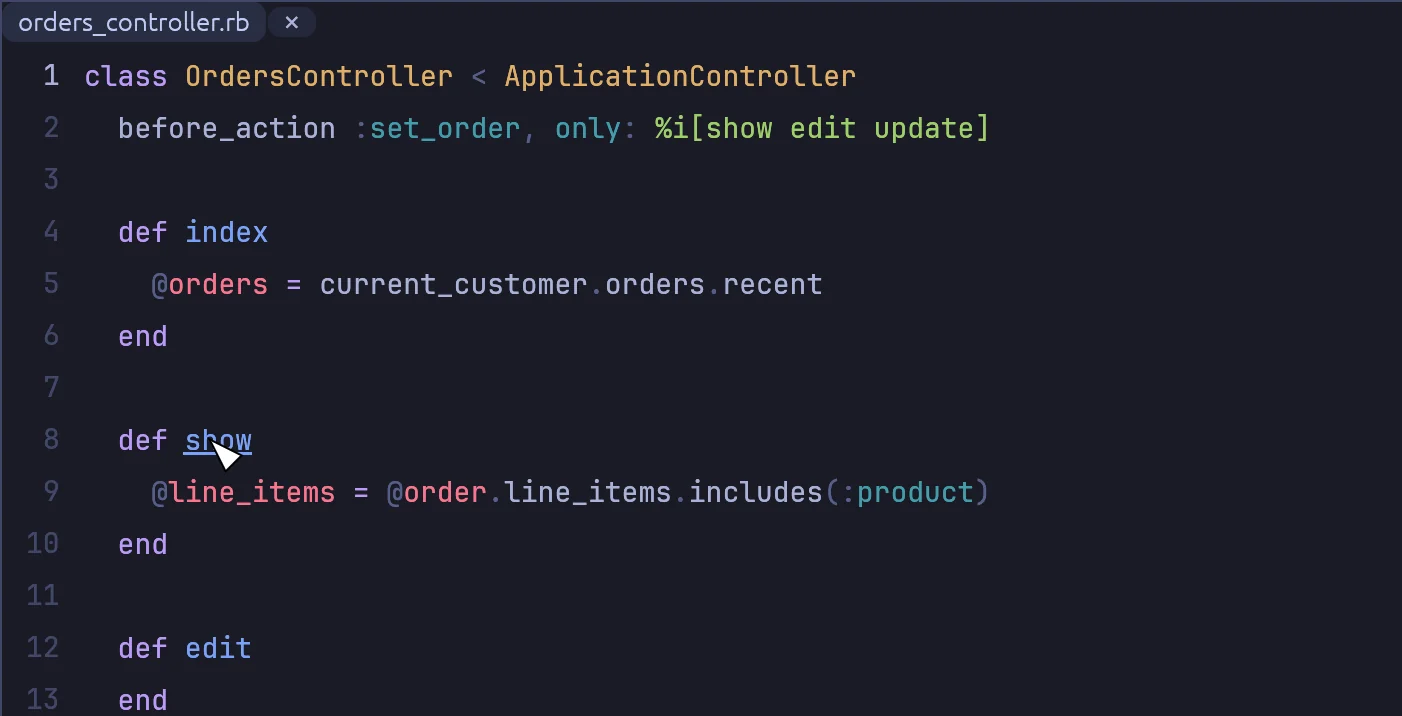
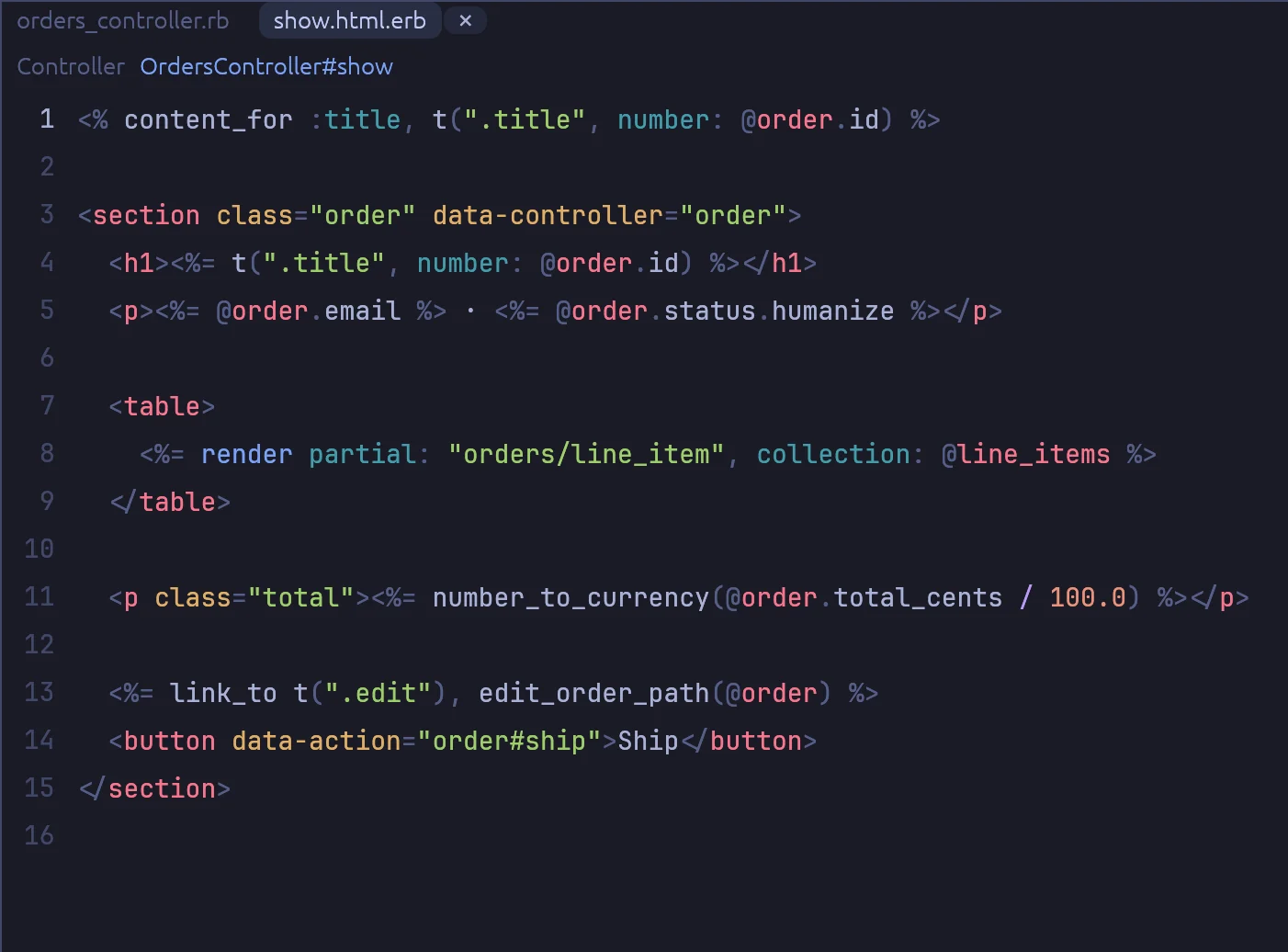
Ctrl+click the name of an action to open its template or Phlex view. A view shows a link to its action above the code, so the way back is one click too.

  • ERB templates, Phlex views and variant folders
  • Mailer methods and their templates
  • The right-click menu has "Go to view" and "Go to controller action"
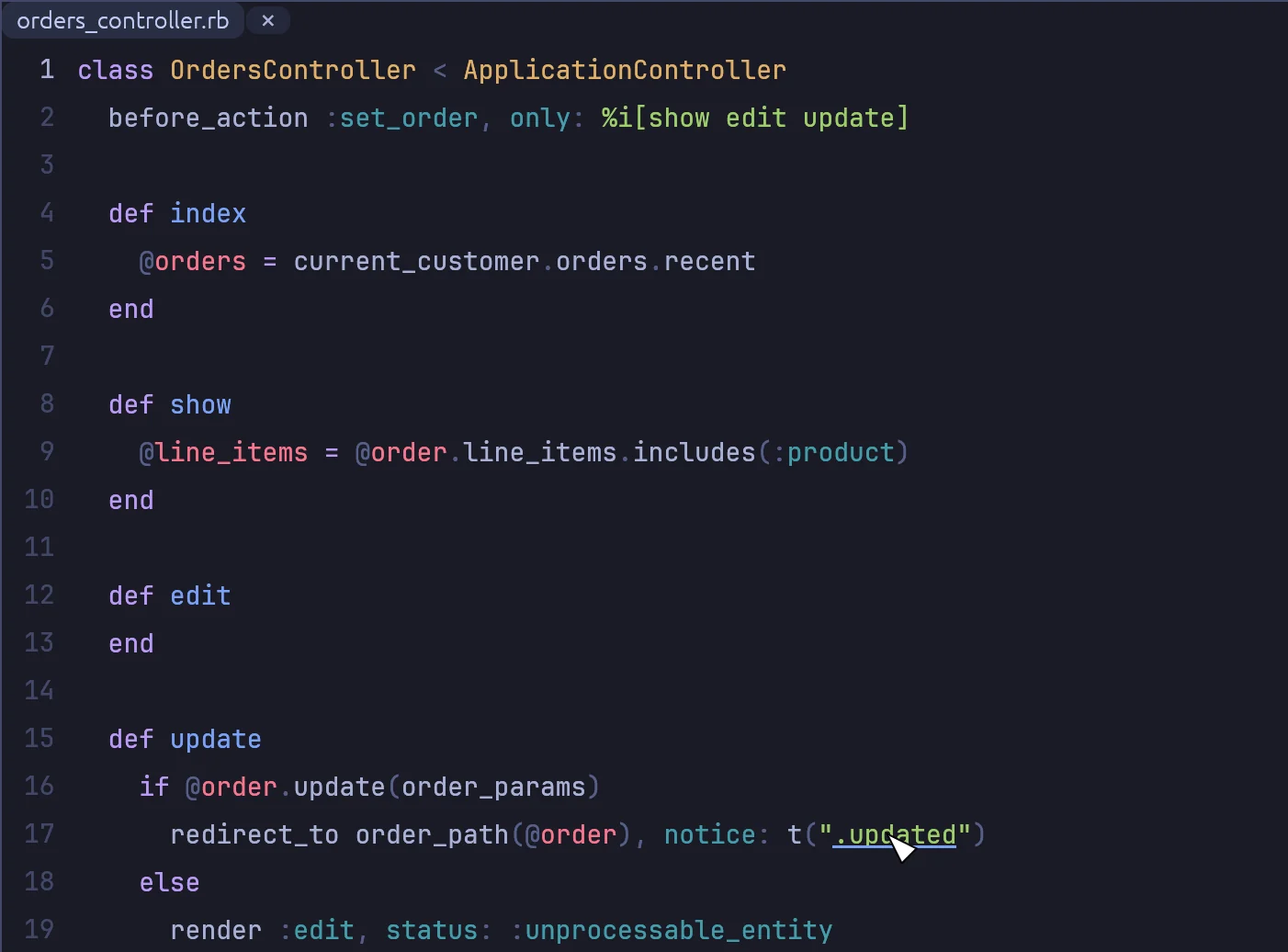
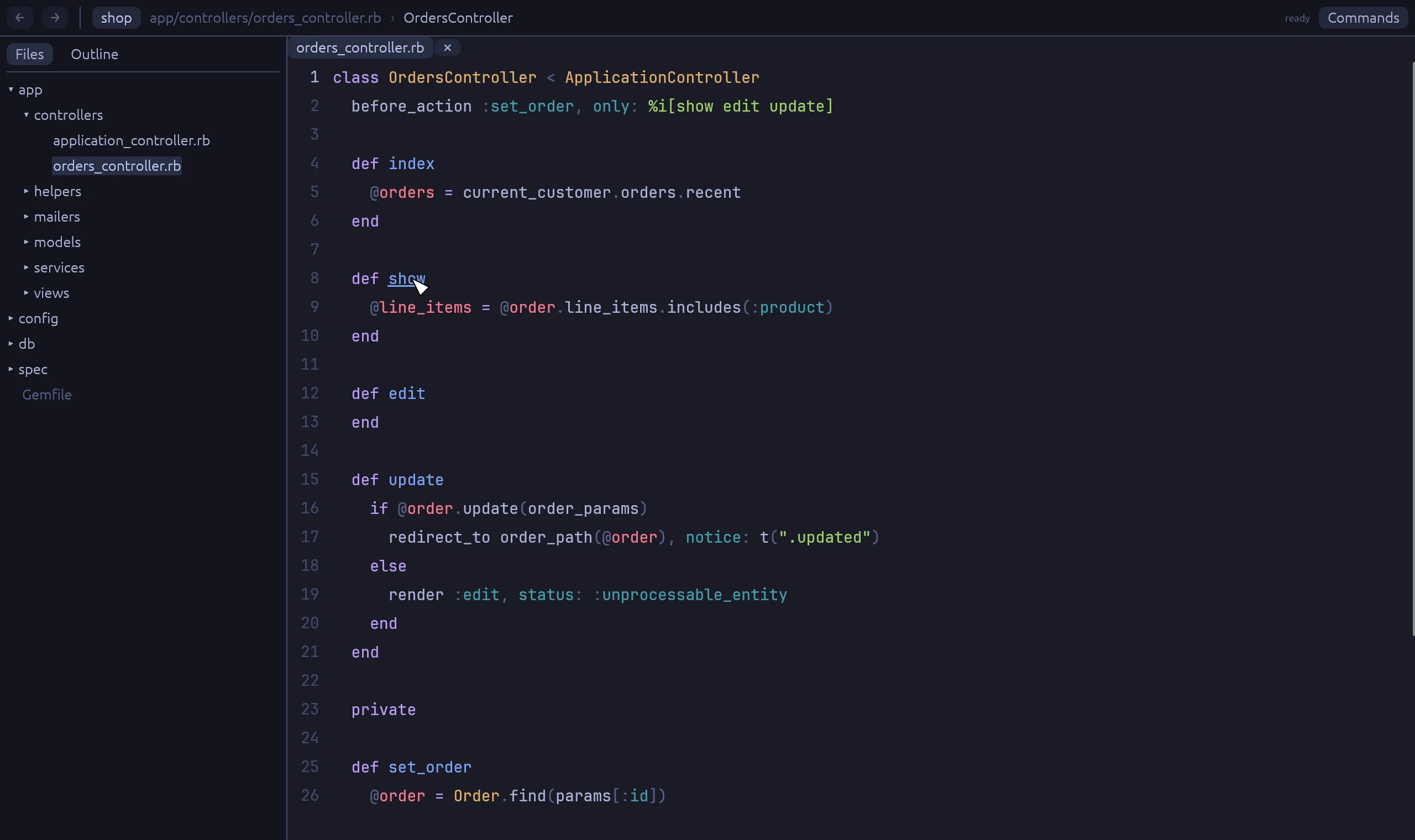
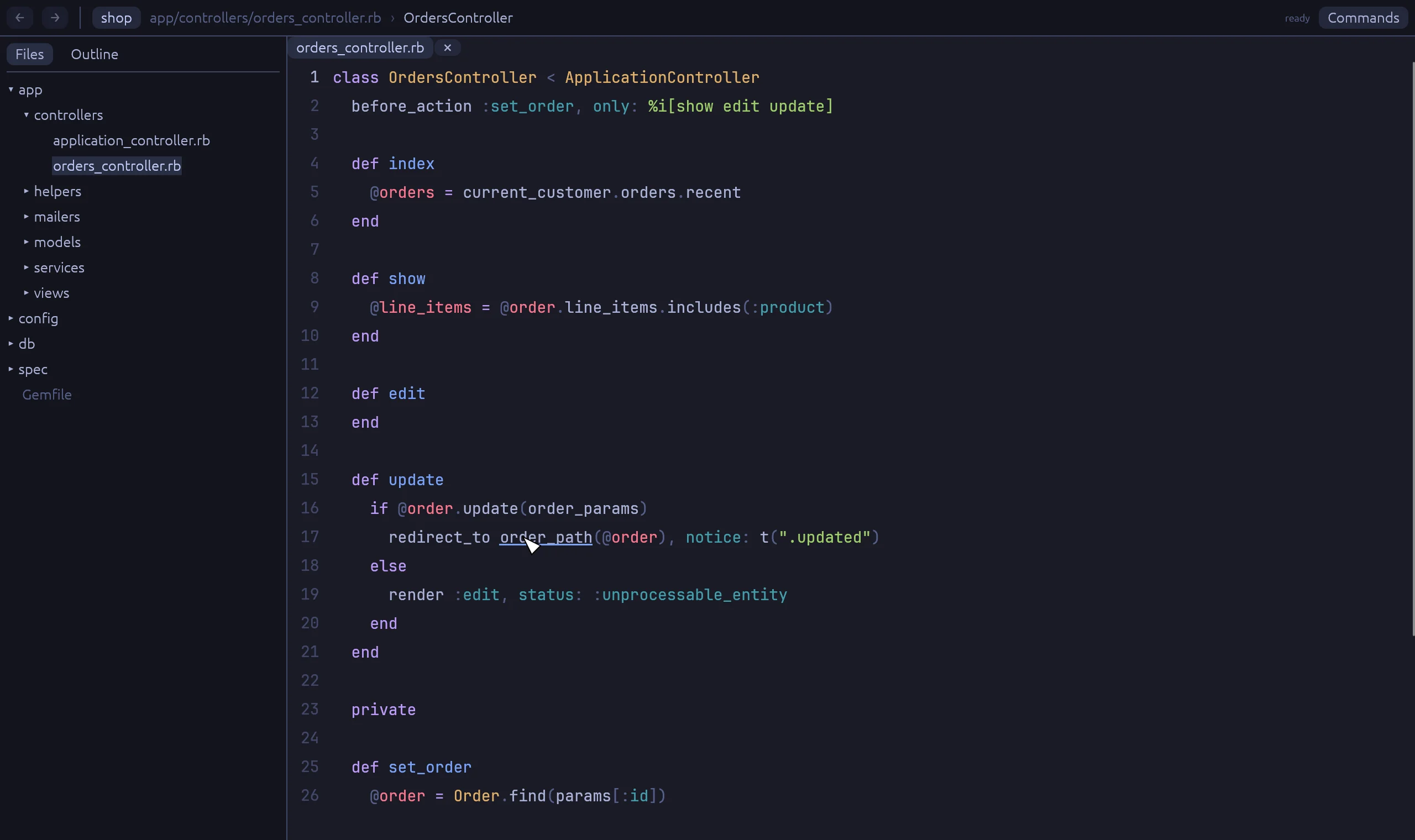
orders_controller.rb with Ctrl held over the show action.
Ctrl+click def show in the controller.
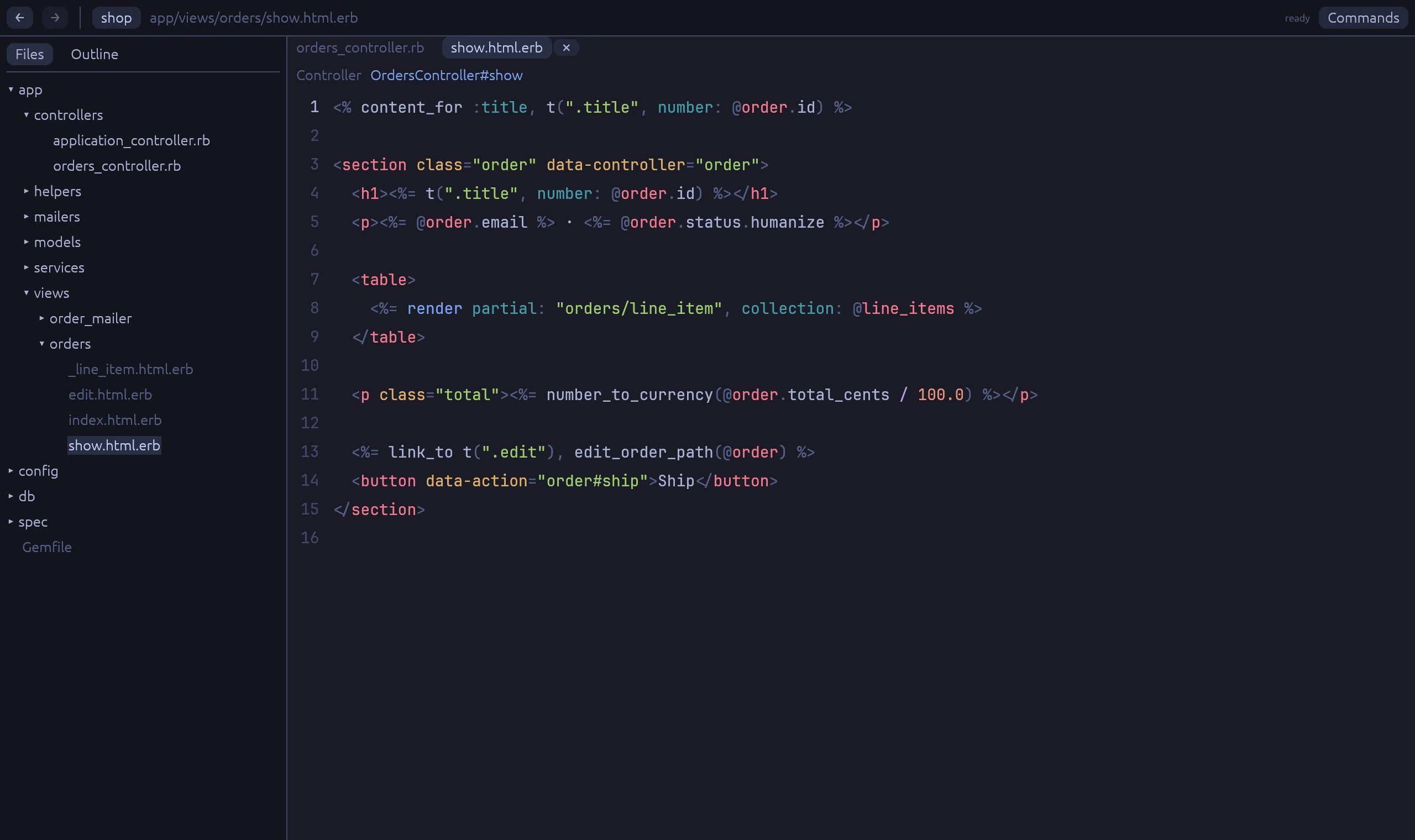
show.html.erb is open, with a bar above the code that links to OrdersController#show.
The view opens. The bar at the top goes back to OrdersController#show.

Translation keys and route helpers

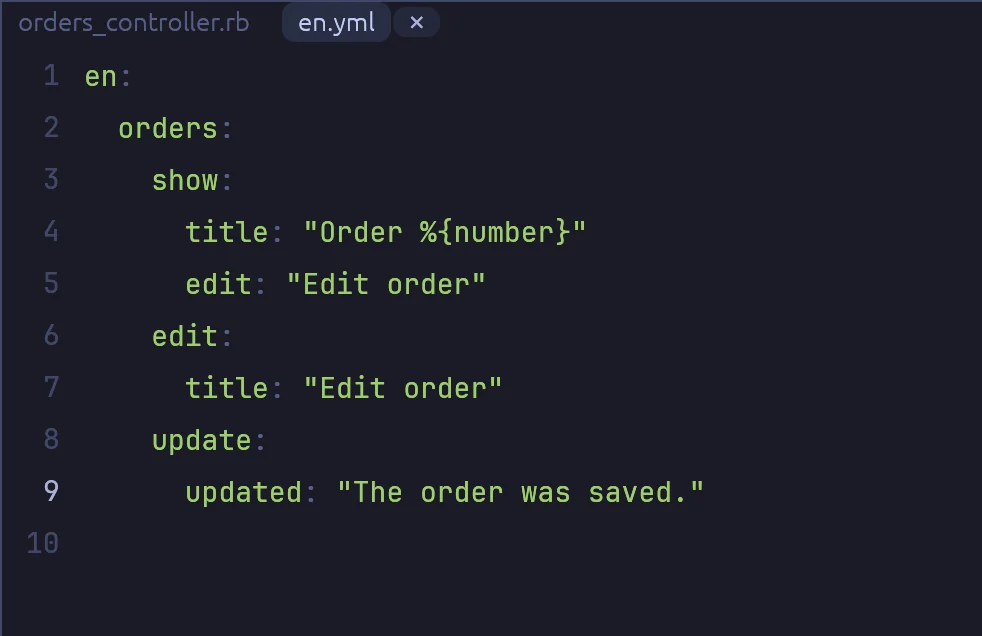
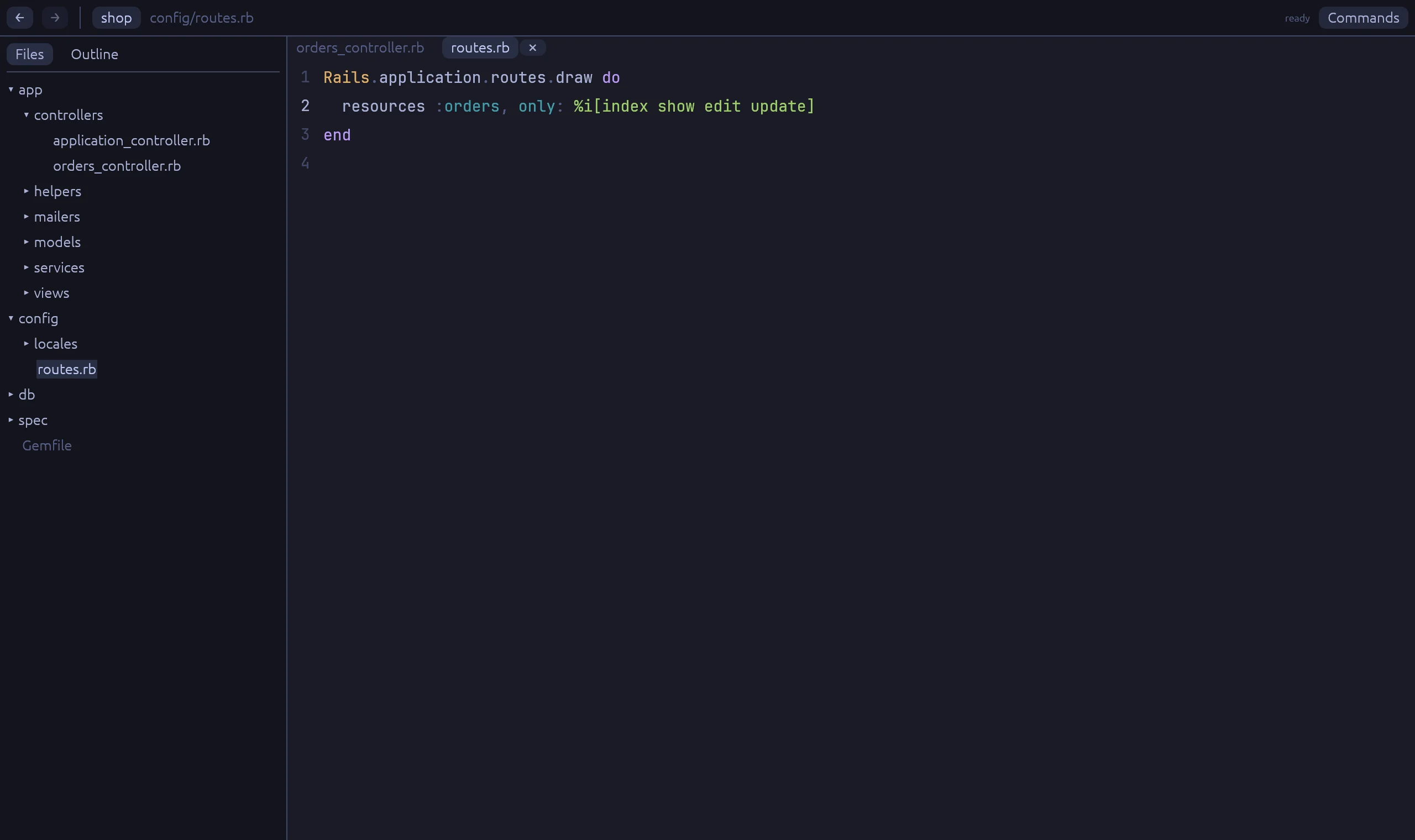
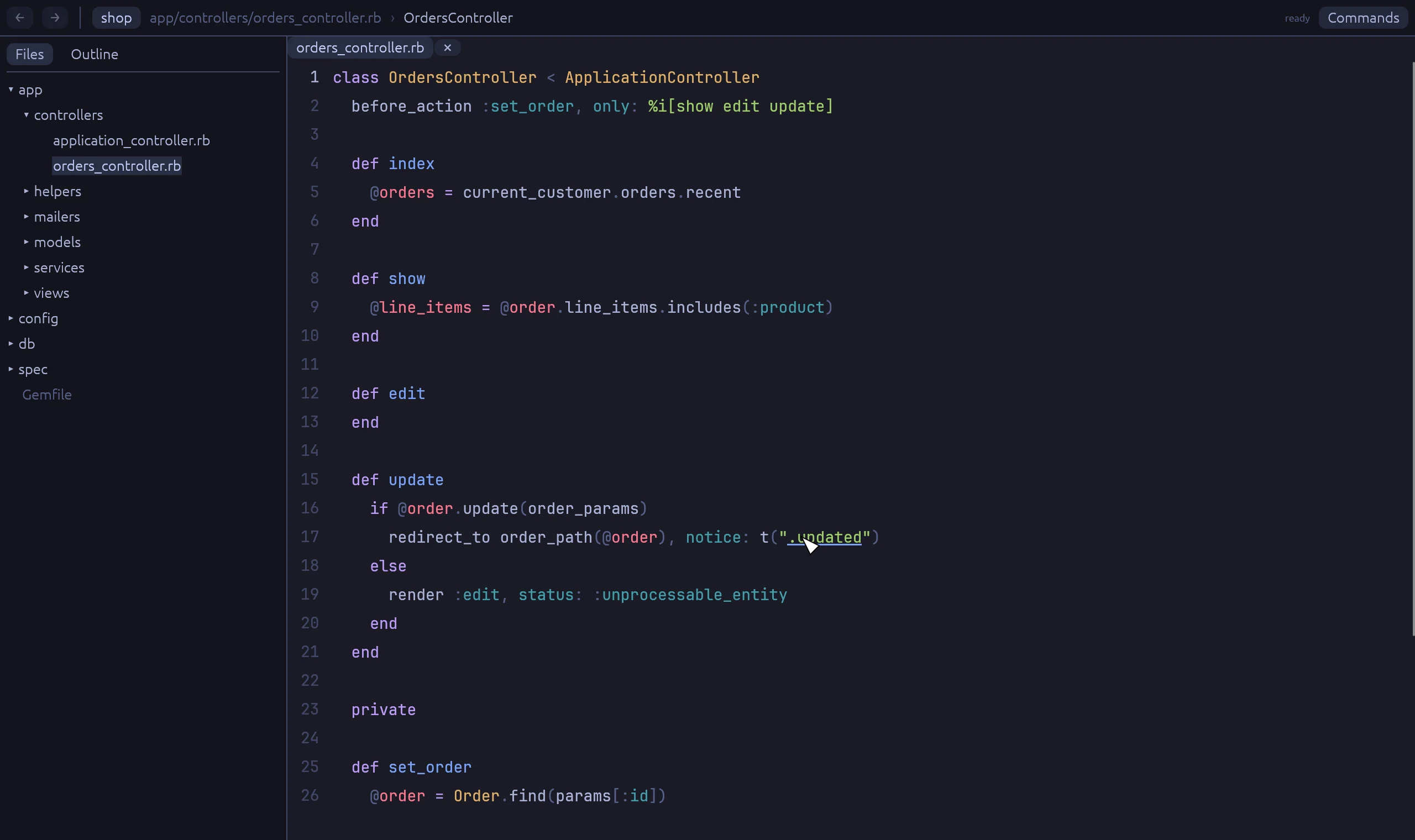
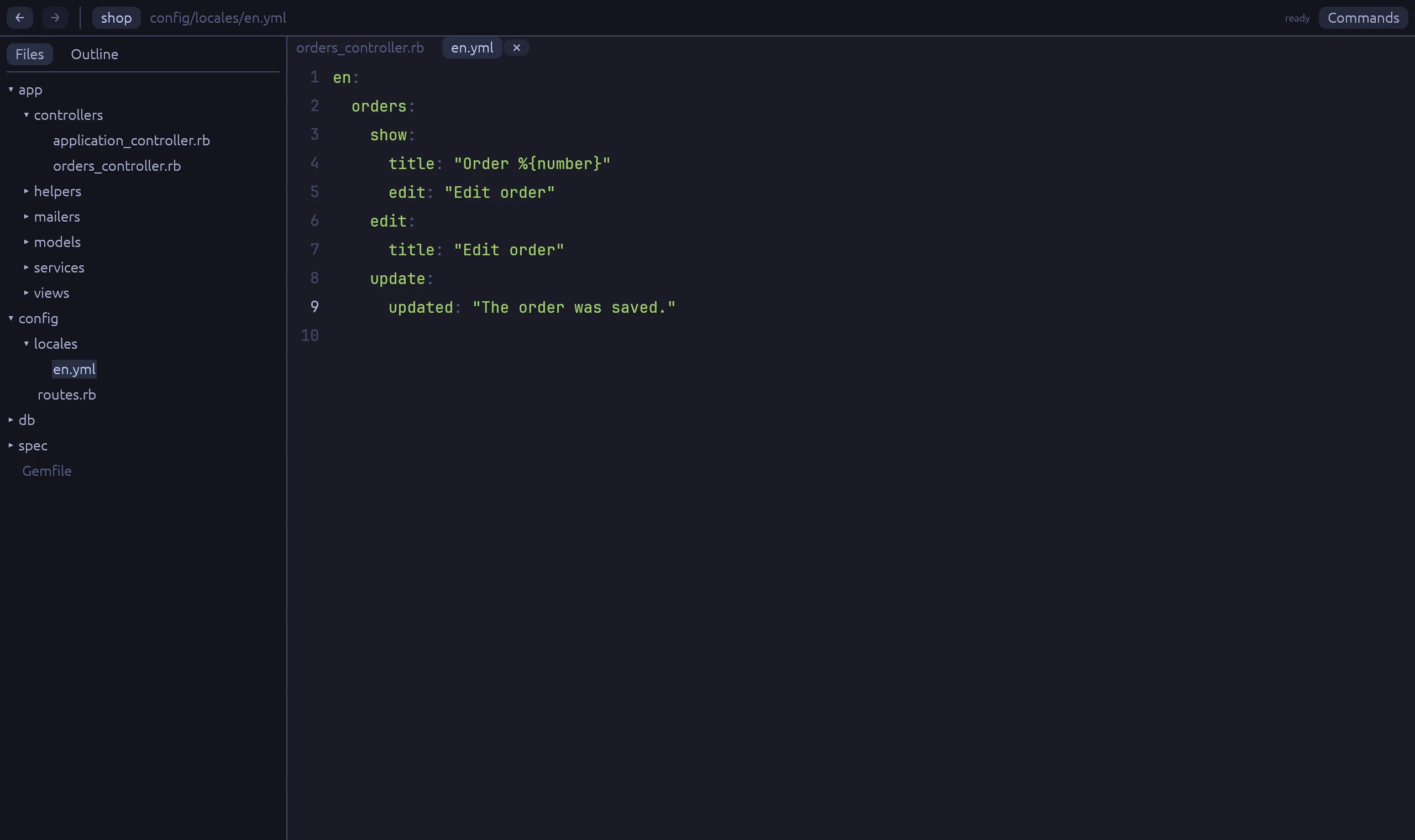
A click on t(".updated") opens the line in the locale file, in every locale. Lazy keys work in controllers, templates and Phlex views. A route helper such as order_path opens the line in the routes file.

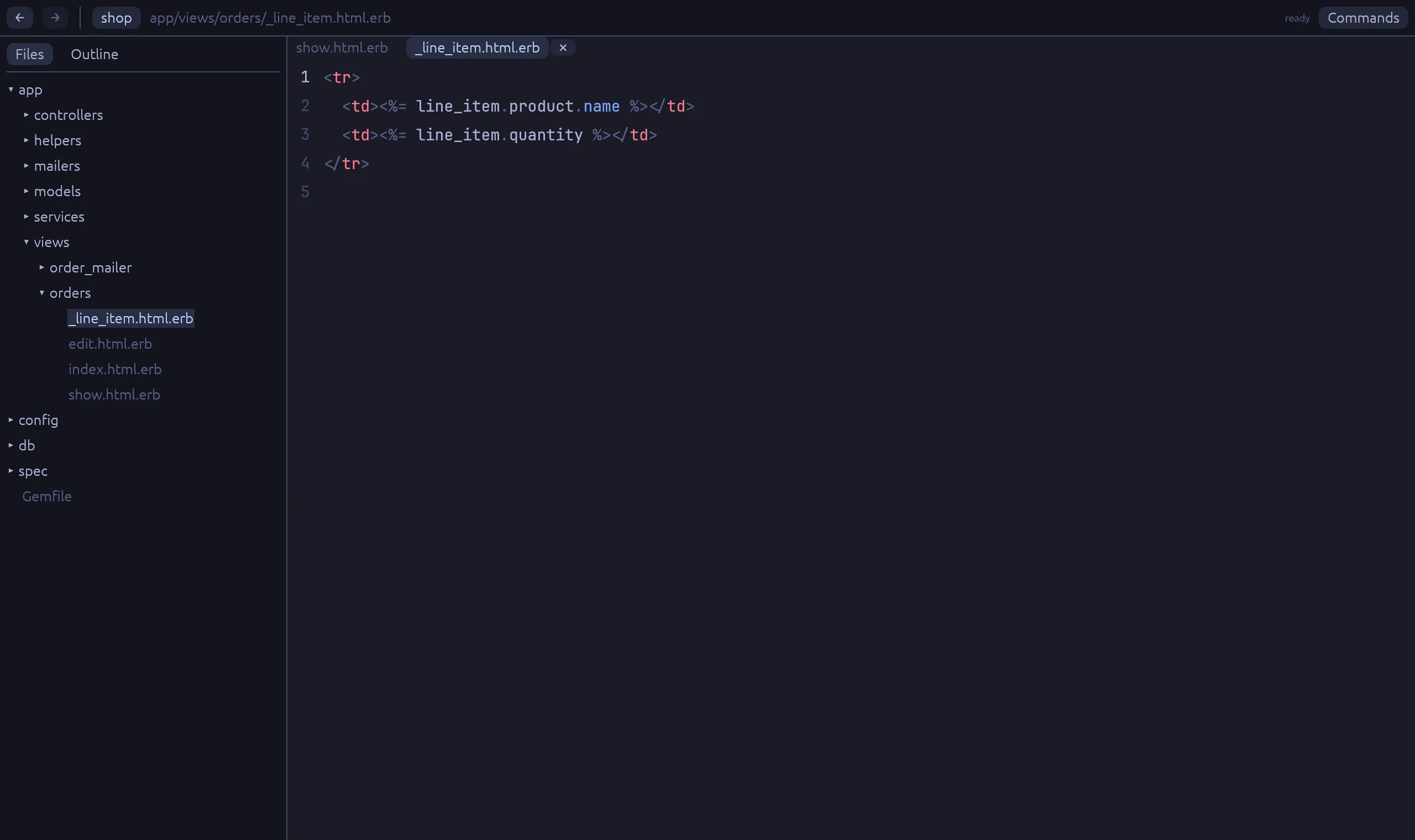
  • render "orders/line_item" opens the partial
  • resources :orders opens the controller
  • data-action="order#ship" opens the Stimulus method
The update action, with Ctrl held over the lazy translation key .updated.
A lazy key in OrdersController#update.
config/locales/en.yml is open at orders.update.updated.
en.orders.update.updated in the locale file.

Who uses this?

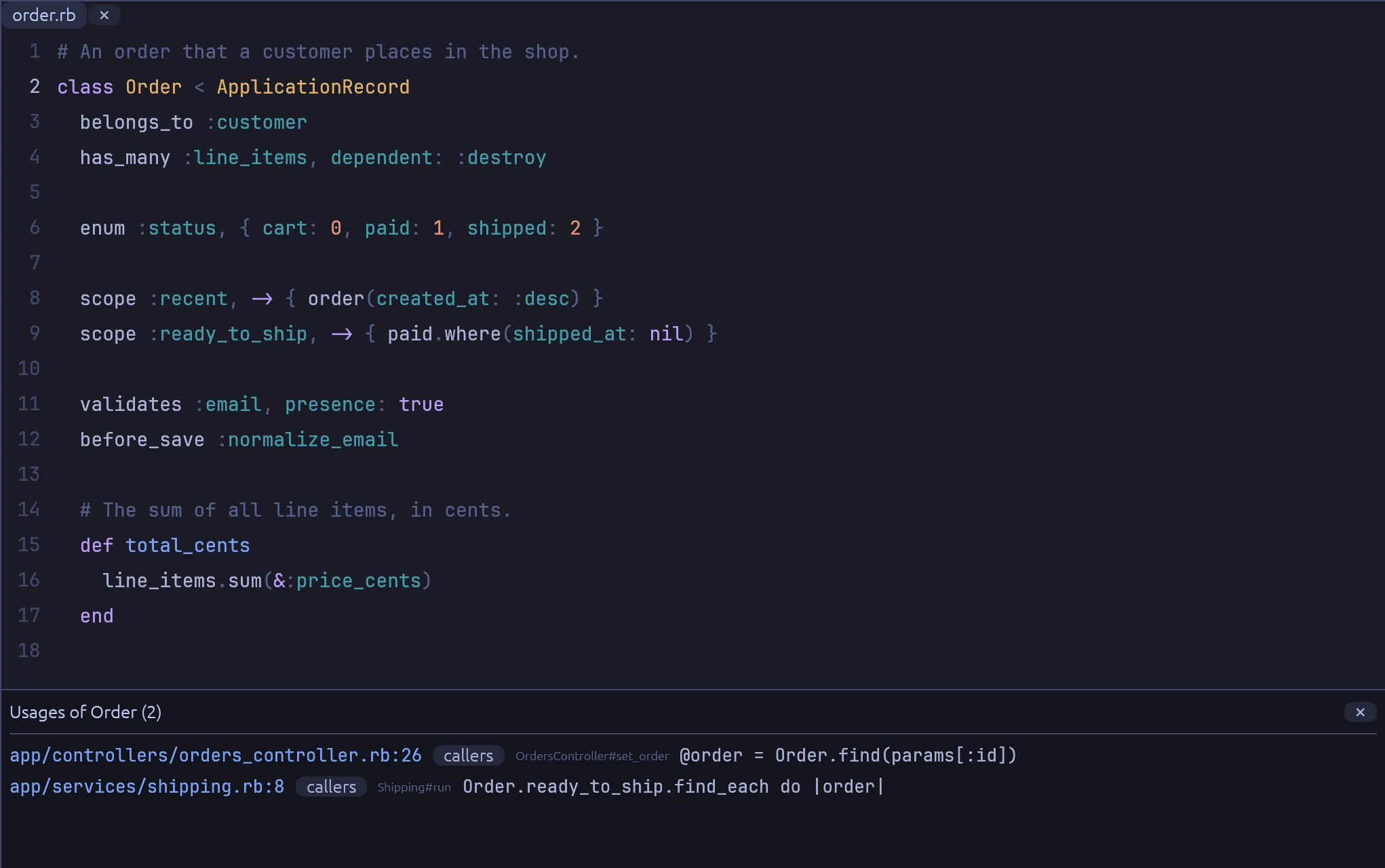
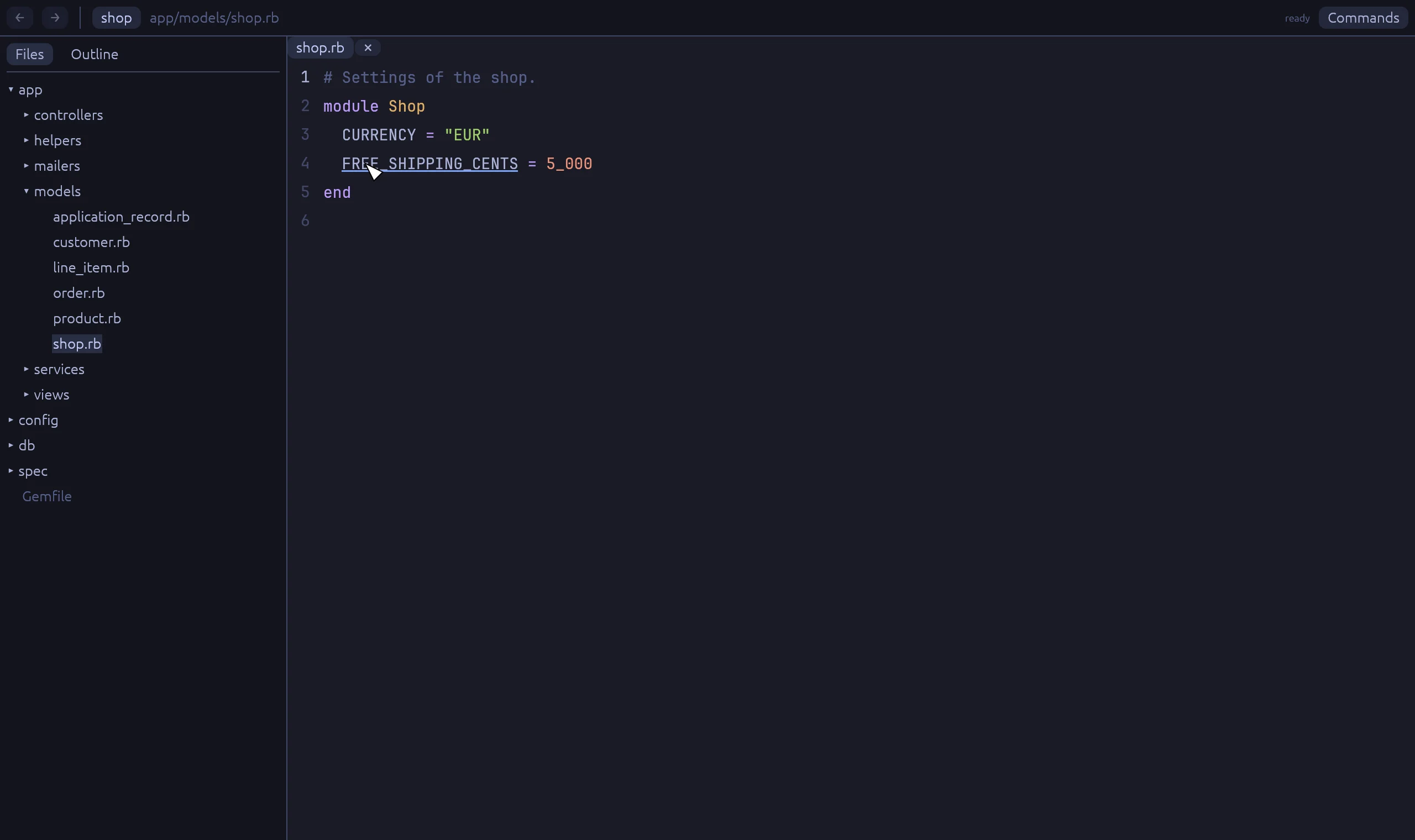
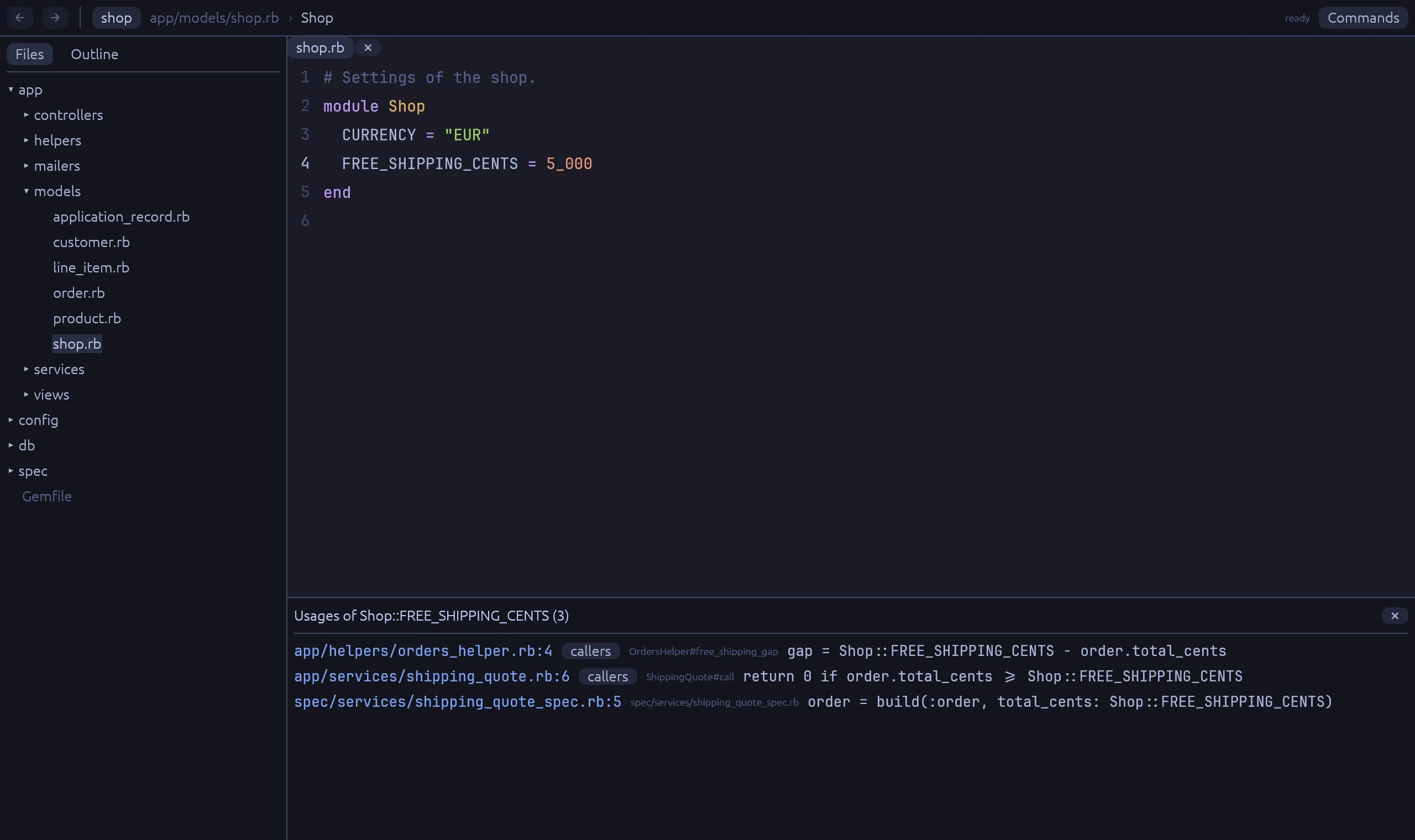
Ctrl+click a class name where it is defined, and the results panel lists every place that uses it. For a method, right-click and choose "Find usages". The "callers" button on a row goes one level up the call stack.

order.rb with a results panel at the bottom titled Usages of Order, with two rows: the orders controller and the shipping service.
Each row shows the file, the method it is in, and the line.

When a name means several things

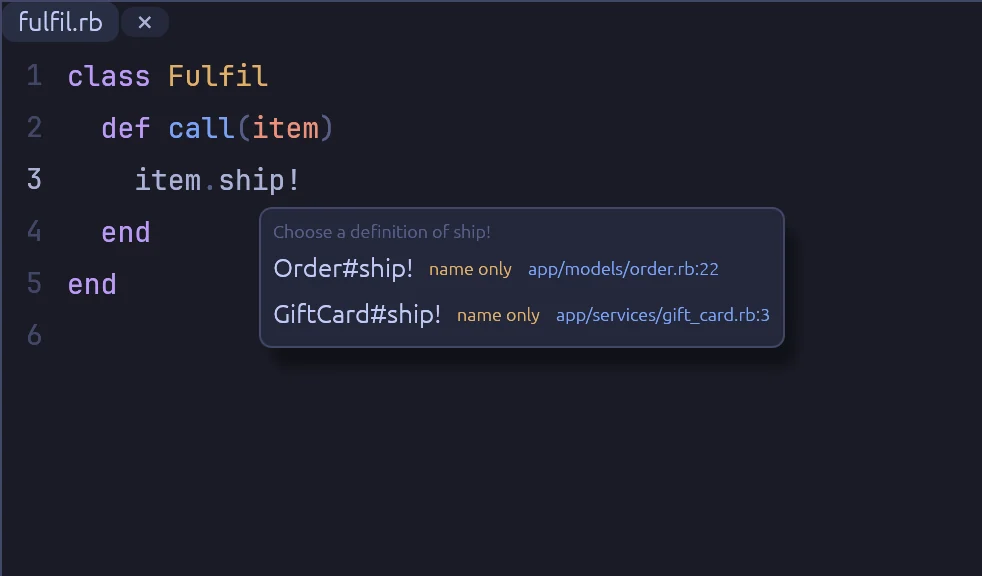
Some calls have no known receiver, such as a method on a block argument. Rubyscope then lists every definition with that name, and says how sure it is about each one. It never guesses in silence.

A small list titled Choose a definition of ship!, with Order#ship! and GiftCard#ship!.
item.ship! could be an order or a gift card.

Git blame next to the code

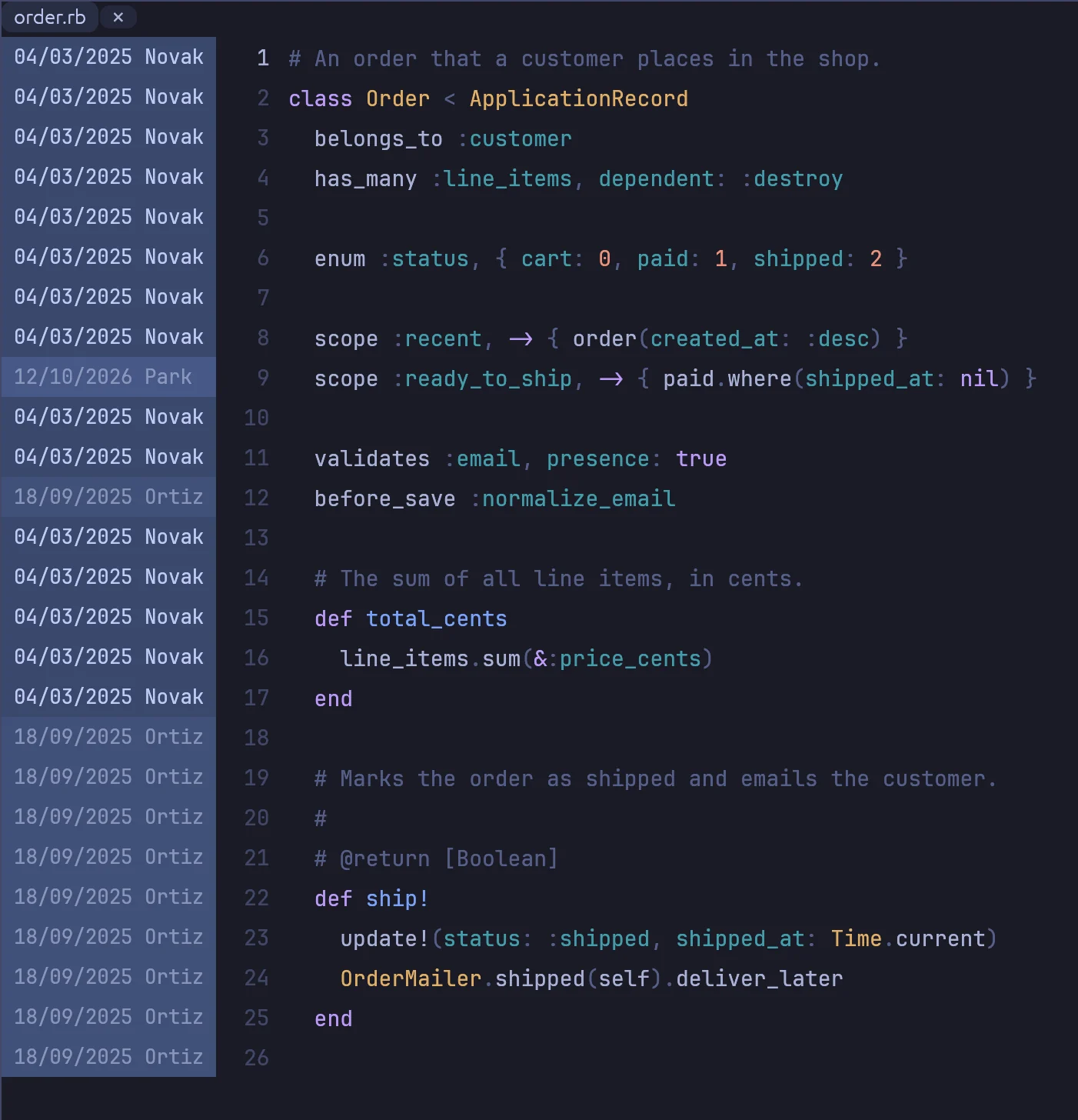
Press Ctrl B. Each line shows the date and the author, and newer lines get a stronger blue. Click a block to open the commit, or its pull request, on GitHub.

order.rb with a blame column on the left that shows a date and an author's last name on each line.

Keys for everything

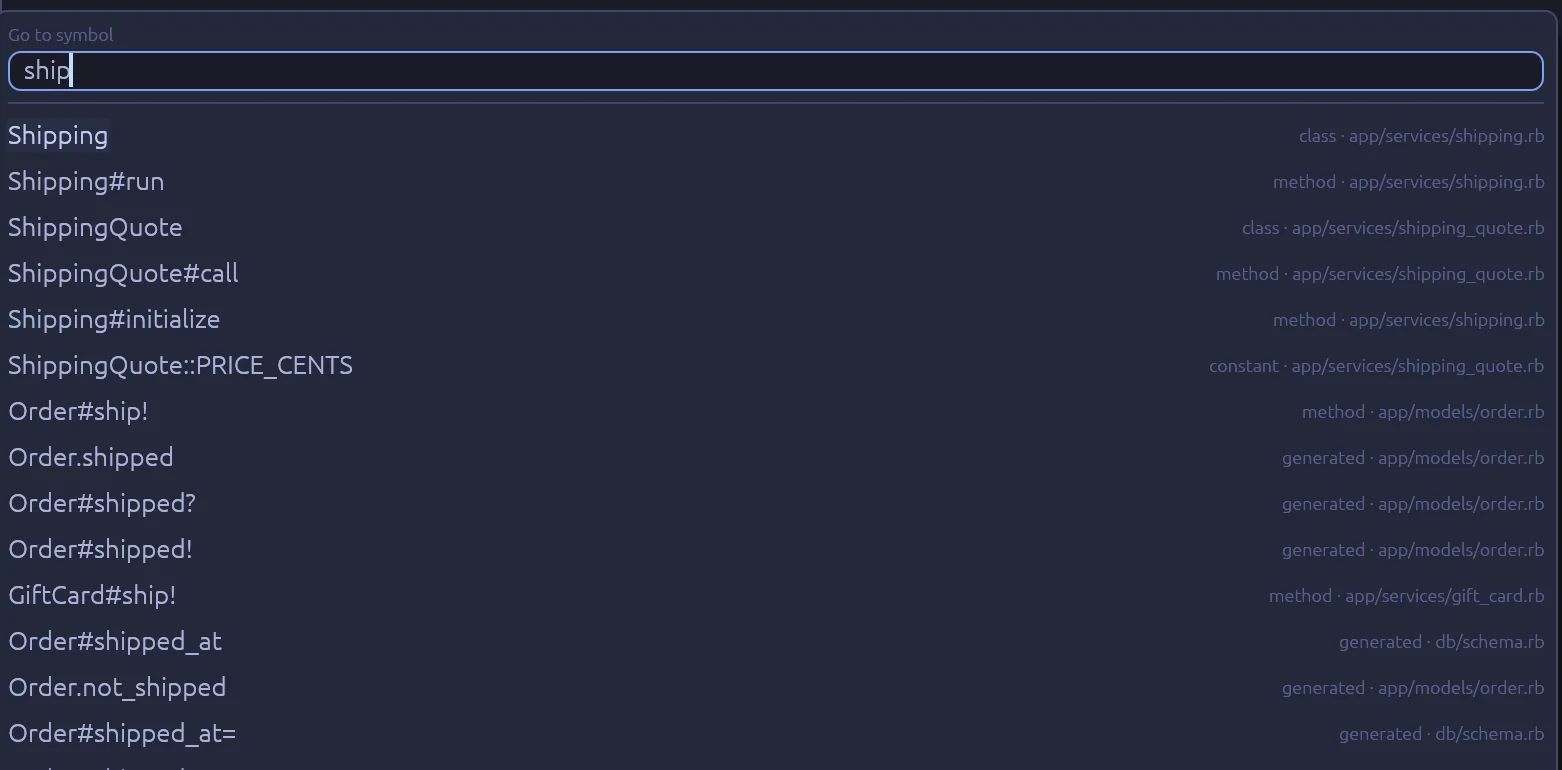
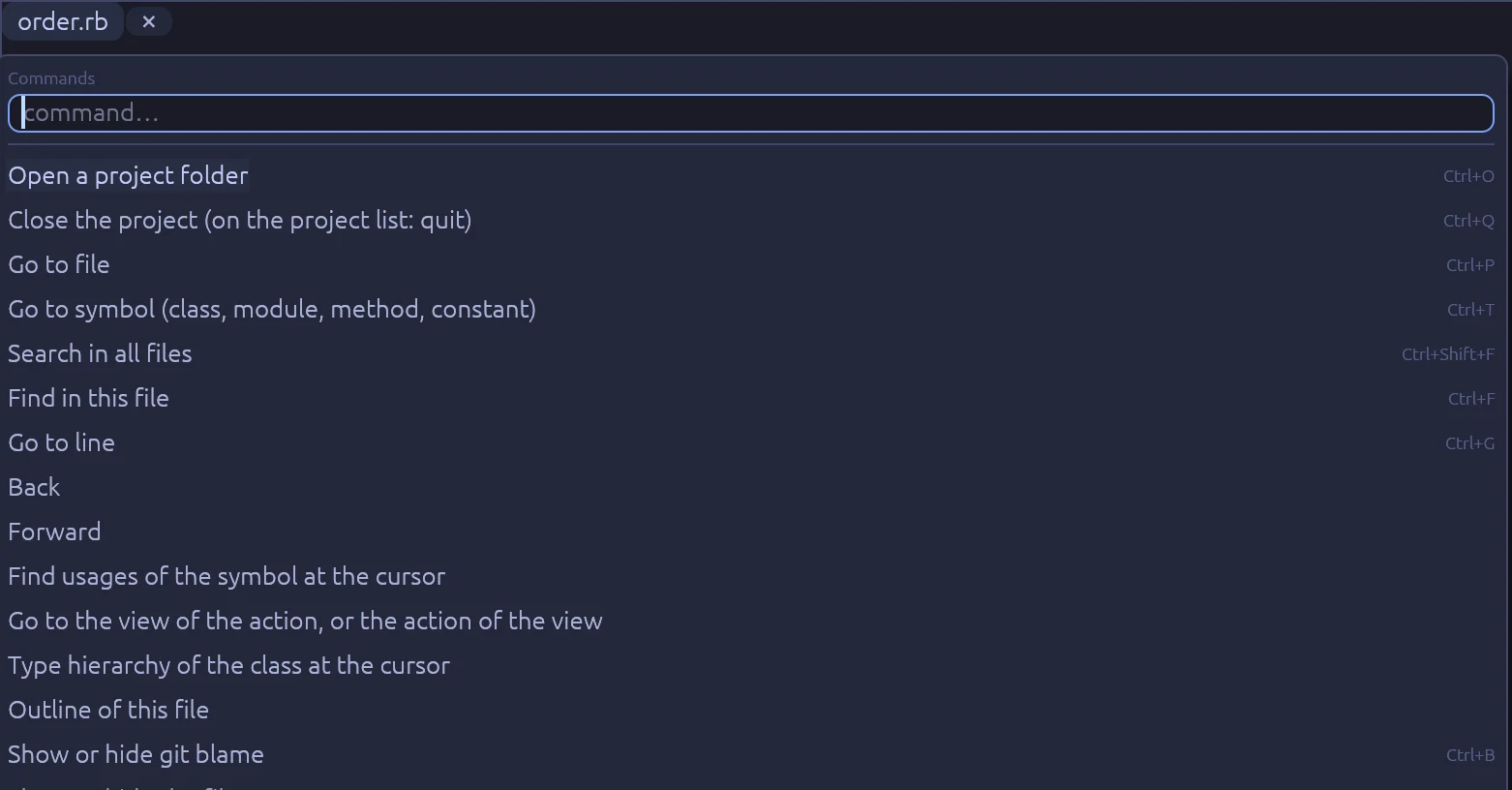
Ctrl P finds a file. Ctrl T finds a class, method or constant in the project and its gems. Ctrl K lists every command. Scroll with j and k, and go to the top with gg, as in Vim.

All keys

The go to symbol list, filtered by ship.
Go to symbol
The command list with every command and its key.
All commands

What a click understands

Rubyscope reads the source. It does not boot Rails or run your code, so it works on an app that does not start.

Constants
Lexical scopes, ancestors, class A::B, constant aliases and Zeitwerk folder namespaces.
Methods
class << self, extend, module_function, class_eval, ActiveSupport.on_load.
Rails DSLs
Associations, scopes, enums, delegate, attribute, store_accessor, attachments, schema columns.
Symbols that name methods
before_action :load, validate :check, if: :paid?, send(:x).
Variable types
Model.find, relations, block parameters, instance variables, YARD @return, FactoryBot create(:x).
Views
Controller actions and views both ways, partials, Phlex kit calls, and Ruby inside ERB tags.
Routes and locales
Route helpers, resources, to: "a#b", and t("a.b") keys in every locale file.
Tests
RSpec let, subject, described_class, shared examples, factories and traits.
Gems
Every gem in Gemfile.lock that is installed, and the Ruby standard library.

Fast on a large app, and safe to leave open

About one second to start

Rubyscope parses every Ruby file with Prism, on all CPU cores, and saves the index. The next start reads the saved index and parses only the files that changed.

Stays up to date

A file watcher sees changes in app, config, db, lib and the specs. Open tabs load the new text and the index updates itself.

Reads only

Rubyscope never writes into your project. To change a file, open it in your editor from the right-click menu, at the same line.

Install

Rubyscope is built from source with Rust 1.88 or newer, clang and libclang.

Linux

git clone https://github.com/equivalent/rubyscope
cd rubyscope
bin/install
rubyscope ~/code/shop

Installs the app in ~/.local/bin with an app launcher entry. Built and used on Omarchy, on Wayland.

macOS

git clone https://github.com/equivalent/rubyscope
cd rubyscope
bin/install-macos
rubyscope ~/code/shop

Installs rubyscope.app in ~/Applications. Runs on Apple silicon. Use Cmd where the docs say Ctrl.

Read the docs